Yes, the app is free, and the device works without paying: the free version keeps the basic programs, five on the Fit. Premium is an optional paid tier. It usually starts with a free trial that renews unless you cancel, its price depends on the plan and the store, and you cancel it wherever you bought it.
Alex bought the Fit for his grandmother and has not used it or its app himself, so this guide is research, not a first-person account. He read the brand's help pages and terms, the App Store listing, and Apple's and Google's own help pages. It is general information, not financial or medical advice.
Affiliate disclosure: this guide has no affiliate links. Our review of the Fit, linked below, does, and Lume-Trixa may earn a commission if you buy through it, at no extra cost to you.
Type the brand name into Google with "app", "premium" or "cancel" and the suggestions fill in the rest: "app cost", "app free", "premium cost", "premium free trial", "cancel subscription refund". Behind them sit three plain questions. Does the app cost money? Is the paid tier required? And if a charge shows up, how do you stop the next one?
The answers exist, but they are spread across the brand's help pages, its terms of service and two app stores, and the numbers do not all agree. This guide puts them in one place, with the source and the date next to each figure, so you can check any of them yourself.
Is the Pulsetto app free, or do you need Premium to use the device?
The app is free to download, and you do not need Premium to run the neckband. The brand's help page on this exact question says the free app version "provides all the basic features and programs." The App Store listing shows the same model: the price line reads "Free" with "In-App Purchases".
On the Fit, the brand's product page describes a free lifetime app with five "expert-designed programs". The neckband is a one-time purchase, and Premium is a separate plan you can add or skip. If you are still weighing the device itself, our review explains what a daily session on the Fit looks like and how its return terms work.
Treat Premium as a later decision, not part of the purchase. Start on the free programs, and only weigh a paid plan once you know which sessions you actually run.
What does the free app include, and what does Premium add?
The free app covers the core sessions; Premium adds more programs, personalisation and data. The brand's FAQ says the Premium version "comes with custom stimulations and guided meditations". The App Store listing names "Advanced sleep, HRV, stress, and recovery insights" and "Wearable integrations with Apple Health, Oura, Fitbit, WHOOP, and more".
- Free, on the Fit: five programs and the basic features, described by the brand as lifetime.
- Premium, in the brand's words: custom stimulations and guided meditations.
- Premium, in the App Store's words: sleep, HRV, stress and recovery insights, and links to other wearables.
If you already track sleep with a ring or a watch, the integrations are the part of Premium worth looking at during a trial. If you do not, the free programs are the place to start.
What does Pulsetto Premium cost, and why do the numbers differ?
There is no single price, which is where most of the confusion starts. On 5 November 2026 the App Store in the United States listed four Premium plans, from $17.99 for one month to $99.99 for 12 months; the two other App Store items in the table are not plans. The brand's Fit product page gives its own figure for Premium after the trial, also in the table. The brand's store lists Premium as a stand-alone item too, but that listing showed no period, so it is not in the table. Plan length, the store you pay through and the offer running that week all move the number.
| Source | Plan as listed | Price shown | Read on | Note |
|---|---|---|---|---|
| App Store, US | Monthly | $17.99 (USD) | 5 Nov 2026 | In-app purchase, one month |
| App Store, US | 3 Months | $39.99 (USD) | 5 Nov 2026 | In-app purchase, three months |
| App Store, US | 6 Months | $69.99 (USD) | 5 Nov 2026 | In-app purchase, six months |
| App Store, US | 12 months | $99.99 (USD) | 5 Nov 2026 | In-app purchase, one year |
| App Store, US | "Pulsetto Premium 7 Day Trial 110" | $109.99 (USD) | 5 Nov 2026 | Listed in-app item. It is not the price of the free trial. The listing does not say what it covers. |
| App Store, US | "Pulsetto Reactivation Offer 2" | $5.00 (USD) | 5 Nov 2026 | Listed in-app item. It is not the price of the free trial. The listing does not say what it covers. |
| Brand's Fit product page | Premium after the trial | $45.00 every quarter (USD) | 5 Nov 2026 | Brand's wording: "Premium continues at $45.00 every quarter after trial, or cancel, no charge" |
Prices in US dollars as shown to a US visitor on the date listed; they can differ by country, store and offer. On a small screen, swipe the table sideways.
The brand's terms explain why a quoted figure can drift. They say the company "may change the subscription plans and the price of the Services from time to time", and that renewals are charged at the company's "then current rates", which "may be higher or lower" than the first period. Other sites quote different figures; the table lists only what could be opened at the source.
Before a trial ends, open the subscription in the store or account you used and read the renewal price there. That figure, not one from a search result, is the next charge.
How long is the free trial, and when does it start charging?
It depends on which page you read, so the length that counts is the one shown in your own checkout or app. Here is what each source said:
- The Fit's product page called the bundled trial a "14-Day Free Trial" (archived copy of 17 May 2026).
- The App Store lists an in-app item named "7 Day Trial" (read 5 November 2026).
- The brand's FAQ says only that Premium comes "with a free trial period" (archived copy of 15 June 2026).
The brand's pages and terms agree on what happens next: the trial rolls into a paid plan unless you cancel. The brand's terms say its services are "offered on automatic renewal", and that to stop a renewal you cancel "at least 48 hours before the end of current period". For trials started through the App Store, Apple's own rule is to cancel "at least 24 hours before the trial ends".
Plan for this. The day you activate the trial, note its end date and set a reminder three days before it. That clears the brand's 48-hour rule and Apple's 24-hour rule with room to spare, and it does not depend on any email reaching your inbox.
Is Premium already in your cart when you buy the device?
It can be. The brand's help article for people who say they never subscribed answers in one line: Premium "is automatically added to your cart upon purchasing" the device. The article asks anyone in that position to email support. It also explains why "cancel subscription refund" is a search people type: the plan arrives with the device order, and the paid renewal comes later.
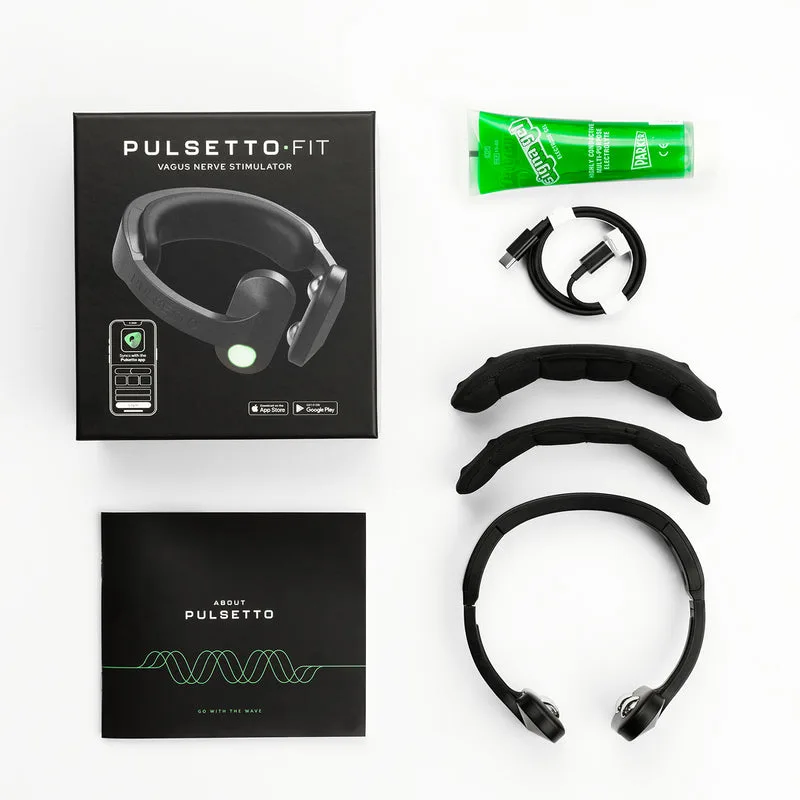
Plan for this. Read every line of the cart before you pay, and open the order confirmation email the same day. If Premium is listed and you do not want it, contact support straight away with your order number, as the help article directs, rather than waiting for the first renewal.
How do you cancel Pulsetto Premium?
Cancel in the same place you subscribed. The brand's terms split it in two: a plan bought on the brand's website cannot be managed through the App Store or Google Play, and a plan bought through Apple or Google can be cancelled "only through his Apple or Google Account".
- Bought on the brand's website, often together with the device. The brand's help article says to go to your account at account.pulsetto.tech and look under "My Subscription", or to contact support by email, through the contact on the brand's site.
- Bought on an iPhone. Apple's steps: in Settings, tap your name, tap Subscriptions, tap the subscription, then tap Cancel Subscription. Apple adds that if there is no Cancel button, the subscription is already canceled.
- Bought on Android. Google's steps: go to subscriptions in Google Play, select the subscription, tap Cancel subscription and follow the instructions.
Deleting the app does not touch the billing. The brand's terms say "deleting the app does not cancel the subscriptions", and Google's help page puts it the same way: "When you uninstall the app, your subscription won't cancel."
Plan for this. Not sure which route applies? Look at your Apple or Google subscriptions list first. If Premium is not there, it was most likely billed through the brand's website, and your account there is the place to cancel. Keep the confirmation screen or email.
If you were charged, can you get a refund?
The brand's terms do not promise one for Premium, so the cancel date matters more than the refund. Their returns section lists "Your subscription fee" among the amounts excluded from the refund when a device comes back. A separate line, section 19.3.5, sits in the warranty part that covers defective devices and says the brand "will not in any case provide a refund for your membership purchase"; the terms do not define "membership purchase".
Store purchases follow the store's own rules. Apple says some purchases "might be eligible for a refund" and takes requests at reportaproblem.apple.com. Google says the developer "can process refunds pursuant to its policies and applicable laws", and that contacting the developer directly "is often the quickest way". For a plan billed on the brand's website, the help article on unexpected charges points to support, so send your order number with the request.
Plan for this. The device has its own, separate window: the returns section of the terms allows a return within 30 days from the day of delivery. Treat the trial's end and the return window as two different deadlines, and write both down the day the parcel arrives.
Can you use the Pulsetto without the app?
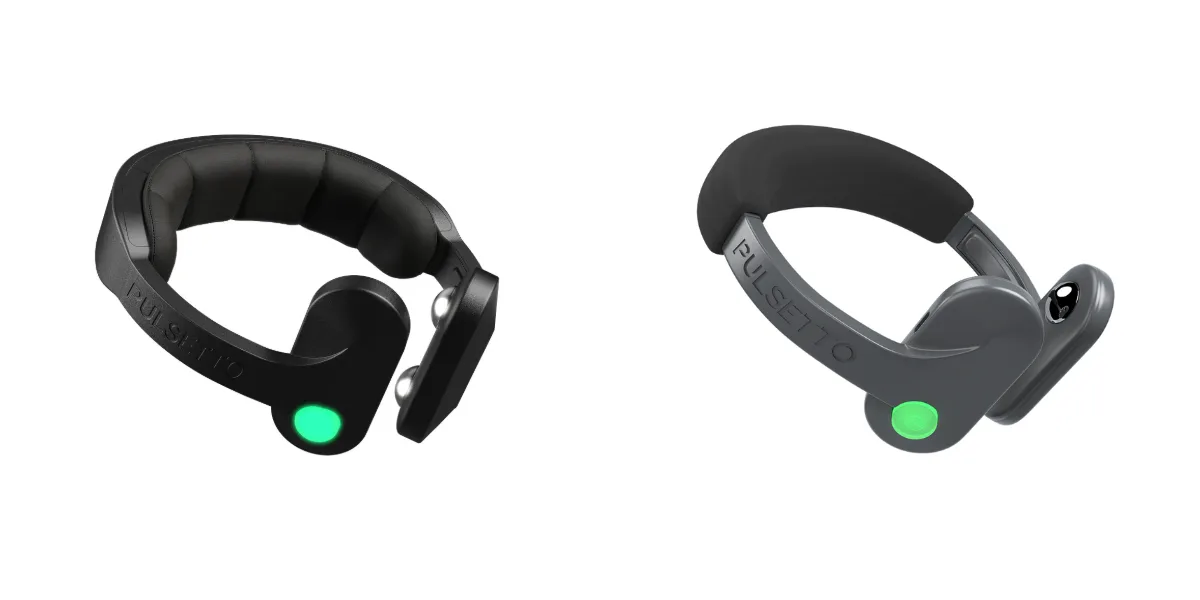
Not for setup: both models need the app to pair the neckband and start a session. What changes is what happens next. The brand's comparison chart lists an offline mode for the Fit and not for the Lite, so on the Fit a program that is already set up can run without an internet connection. Our side-by-side of the Fit and the Lite covers that difference along with neck size, pads and battery.
Frequently asked questions
Does Pulsetto require a subscription?
No. The device is a one-time purchase, and the free app runs the basic programs, five of them on the Fit. Premium is an optional paid plan. The brand adds it to the cart with the device, and it renews unless you cancel; the brand's terms ask for at least 48 hours' notice before the period ends.
Does Pulsetto have a free app?
Yes. The App Store lists it as free with in-app purchases, and the brand's terms say the app can be downloaded from the App Store and Google Play. The brand's help page says the free version provides all the basic features and programs.
How do I cancel my Pulsetto Premium subscription?
Cancel where you subscribed. A plan from the brand's website is cancelled under My Subscription in your account at account.pulsetto.tech, or through support. A plan bought through Apple or Google is cancelled in that Apple or Google account. Deleting the app does not cancel it, and the brand's terms ask for at least 48 hours before the period ends.
Why was I charged for Premium when I did not choose it?
The brand's help article says Premium is automatically added to the cart when you buy the device, and the plan renews into a paid period unless it is cancelled. Contact the brand's support with your order number, and cancel the plan so the next renewal does not go through.
What happens to my free programs if I cancel Premium?
The brand's product page describes the Fit's five programs as part of a free lifetime app, so they stay. Under the brand's terms, a cancelled plan runs until the end of the period already paid and then stops. The brand does not say what happens to Premium-only insights after that, so check in the app before the period ends.
Sources
- The brand's help article "Do I need to purchase Premium to use Pulsetto?", dated 29 August 2025, cited as text. Read in an archived copy dated 15 June 2026; the live page refused automated requests on 31 October 2026.
- The brand's help article "How can I cancel my Pulsetto Premium subscription?", cited as text: account page and "My Subscription". Read 31 October 2026.
- The brand's help article "I haven't subscribed to Pulsetto Premium, but you've charged me anyway", cited as text. Read 31 October 2026.
- The brand's FAQ page ("Are there any additional costs or subscription fees?", Premium version and free trial period) read in an archived copy dated 15 June 2026; and the Fit product page (free lifetime app with five programs, "14-Day Free Trial"), read in an archived copy dated 17 May 2026. Both cited as text; the live pages refused automated requests on 31 October 2026.
- The brand's Fit product page, line on Premium after the trial ("Premium continues at $45.00 every quarter after trial, or cancel, no charge"), cited as text. Read 5 November 2026.
- Our comparison of the Fit and the Lite, which records the brand's model comparison chart (offline mode on the Fit), checked 15 October 2026.
- The brand's Terms of Service, sections 5.8 (automatic renewal and cancelling), 6 (returns) and 19.3.5 (membership refunds), cited as text. Read 31 October 2026.
- Apple App Store (United States), "Pulsetto Wellness" by PULSETTO UAB, version 3.1.0: price line and in-app purchases list. Read 5 November 2026. apps.apple.com
- Apple Support, "Cancel a subscription from Apple". Read 31 October 2026. support.apple.com/en-us/118428
- Apple Support, "Request a refund for apps or content that you bought from Apple". Read 31 October 2026. support.apple.com/en-us/118223
- Google Play Help, "Cancel, pause, or change a subscription on Google Play". Read 31 October 2026. support.google.com/googleplay/answer/7018481
- Google Play Help, "Learn about Google Play refund policies". Read 31 October 2026. support.google.com/googleplay/answer/2479637
- Google search suggestions (United States, English) for the brand name with "app", "premium", "subscription" and "cancel". Checked 31 October 2026.
Image credits: product photographs from the brand, Pulsetto. Quotes from the brand's pages, the App Store and Apple's and Google's help pages are reproduced as written.

About the author
Alex Moreno writes the health-gadget guides at Lume-Trixa. He reads about nerve conduction, inflammation, health technology, wearables and sleep data, and writes up the research and the fine print behind each device plainly. Alex bought the Fit for his grandmother; he has not worn it himself, so his guides are research, not first-person reviews. He is not a doctor.
More about Alex Moreno ›Keep reading
- Fit or Lite: which one should you buy? Neck size, pads, wave mode, battery and offline sessions, side by side.
Affiliate disclosure: some pages on Lume-Trixa contain affiliate links, and we may earn a commission at no extra cost to you. This guide has none. Prices, trial lengths and terms quoted here were read on the dates shown and can change; the figure in your own app or checkout is the one that applies to you. In its own footer, the brand describes the neckband as a general wellness product that is not intended to diagnose, treat, cure or prevent any disease or medical condition. This guide is general information, not medical advice.